Как это работает?
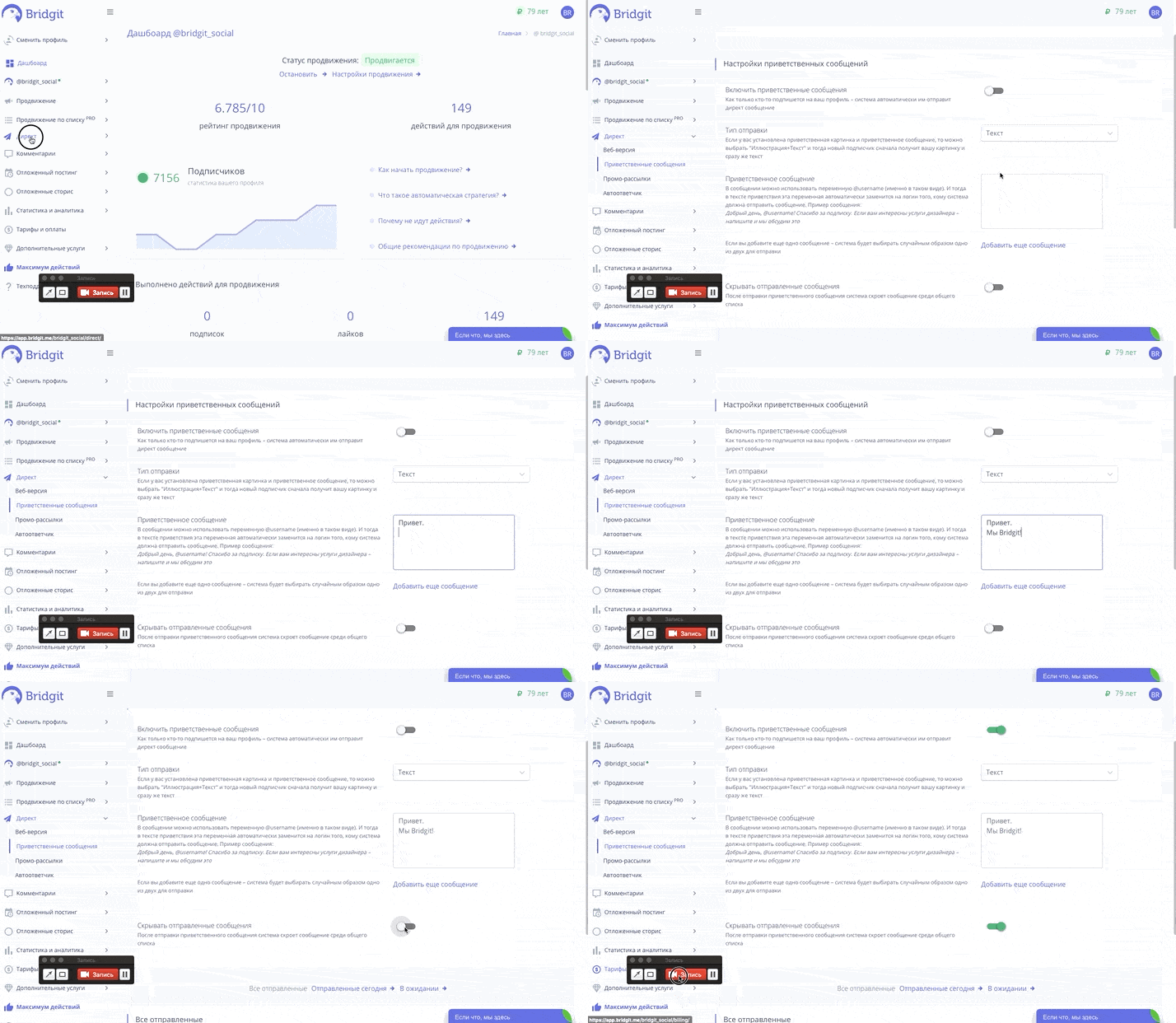
- В личном кабинете перейдите на страницу "Директ/Приветственные сообщения";
- Там вы можете выбрать тип отправки: Текст, Иллюстрация, Иллюстрация+Текст, Текст+Иллюстрация;
- Добавить до двух приветственных сообщений (максимальное количество 1000 символов для одного сообщения). Если вы добавите два сообщения – система будет выбирать случайным образом одно из двух для отправки;
- Так же вы можете скрыть отправленные сообщения;
- После того, как вы настроили приветственные сообщения в инстаграм, нужно их включить;
- Когда клиент будет на вас подписываться, то система автоматически будет отправлять ему сообщение.
Попробуем? Первые 24 часа бесплатно!
Получите первых подписчиков уже через несколько минут
* деятельность компании Meta Platforms Inc., которой принадлежит Инстаграм, запрещена на территории РФ.
Соцсеть признана экстремистской и запрещена в России.