Как это работает?
У вас есть конкурент и у него много подписчиков? Вы можете запустить продвижение по целевой аудитории вашего конкурент.
Как добавить конкурента?
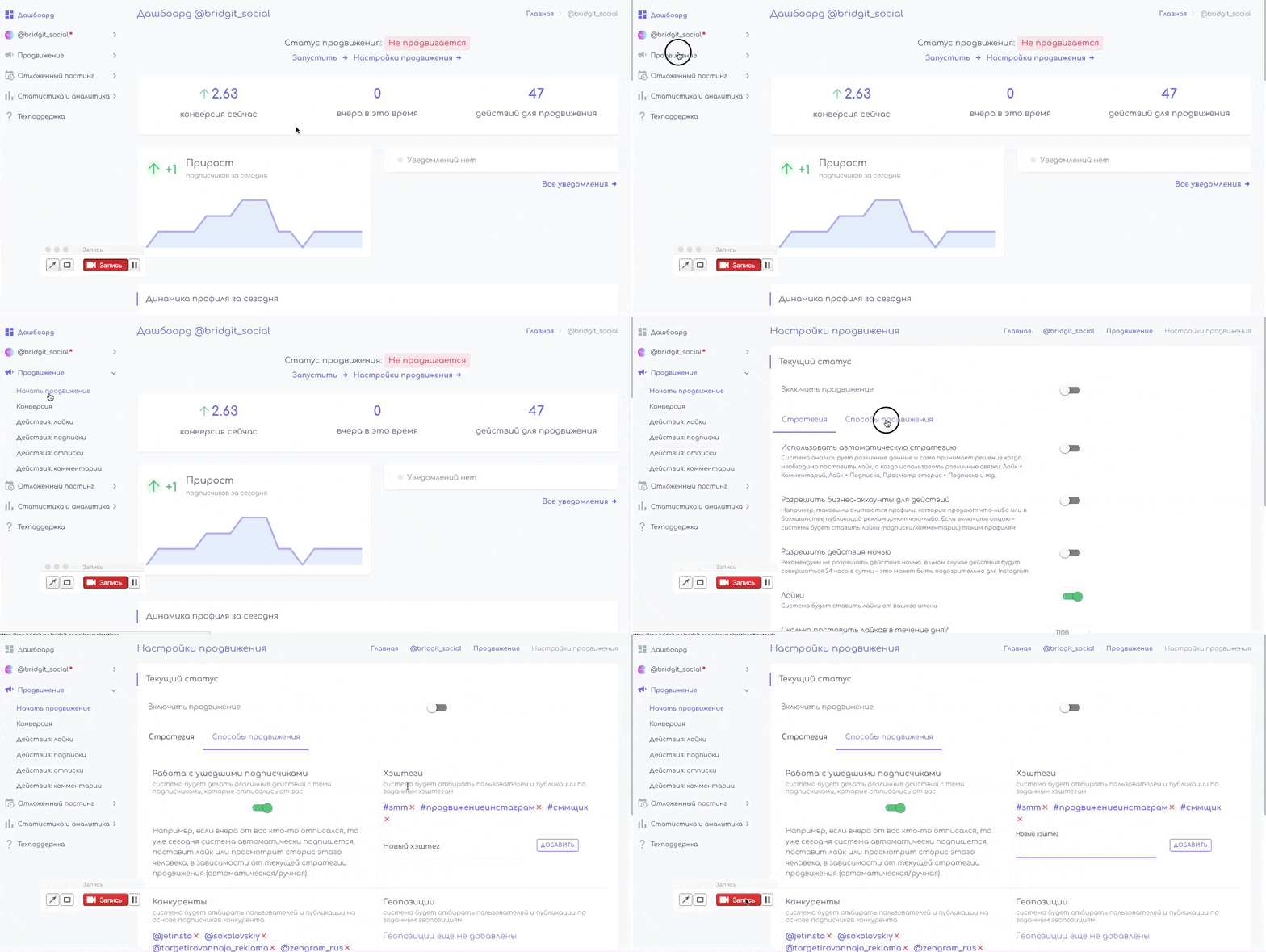
После регистрации и добавления инстаграм* профиля в наш сервис.
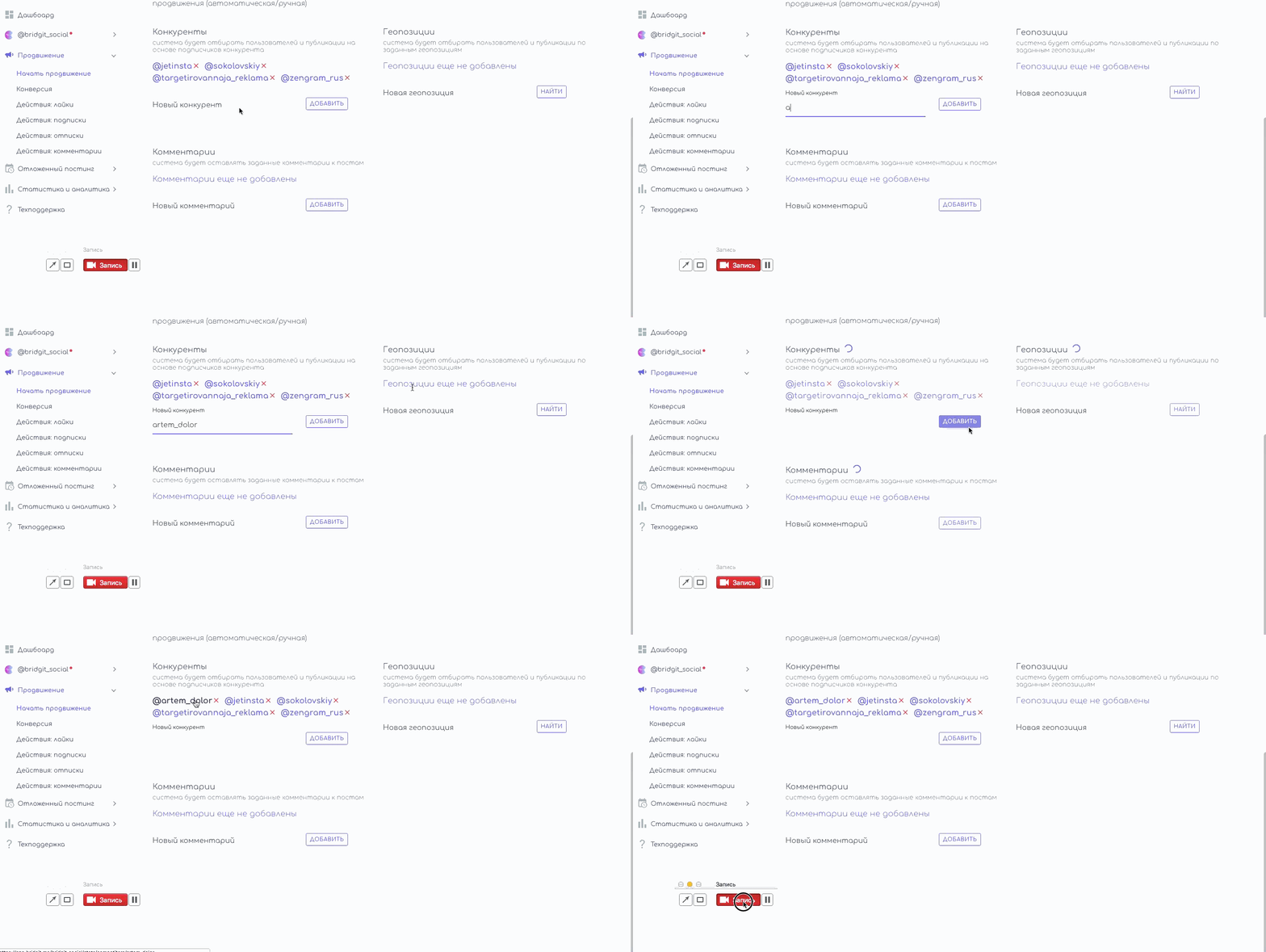
- Нужно зайти в настройки продвижения (Продвижение/Настройки продвижения/Способы продвижения);
- В поле "Новый конкурент" начните вводить никнеймы ваших конкурентов через запятую или просто ставьте пробел или вставляйте списком;
- Нажмите "Добавить".
Что дальше?
После добавления нужных вам хэштегов, пора запускать продвижение. Мы даем две основные стратегии: автоматическая и ручная.
- Автоматическая - система анализирует различные данные и сама принимает решение когда необходимо поставить лайк, а когда использовать различные связки.
- В "ручном" режиме, вы сами выбираете, какие действия будет делать система, а так же количество этих действий.
Выбрать стратегию можно на вкладке "Стратегия" (Продвижение/Настройки продвижения/Стратегия)

Попробуем? Первые 24 часа бесплатно!
Получите первых подписчиков уже через несколько минут
* деятельность компании Meta Platforms Inc., которой принадлежит Инстаграм, запрещена на территории РФ.
Соцсеть признана экстремистской и запрещена в России.