К сожалению случается так, что инстаграм* по ошибке блокирует Инстаграм* аккаунт. И не все знают, что шанс его восстановить есть.
Чаще всего аккаунты блокируются автоматически нейронной сетью инстаграм, на основании неких признаков, какие именно признаки на это влияют достоверно известно только разработчикам инстаграм.
Что делать если ваш аккаунт заблокировали?
В первую очередь нужно написать через форму https://help.instagram.com/contact/1652567838289083 предварительно нужно выбрать то, что ваш аккаунт не является представителем компании, проще говоря вы не ведете бизнес. https://help.instagram.com/contact/1652567838289083
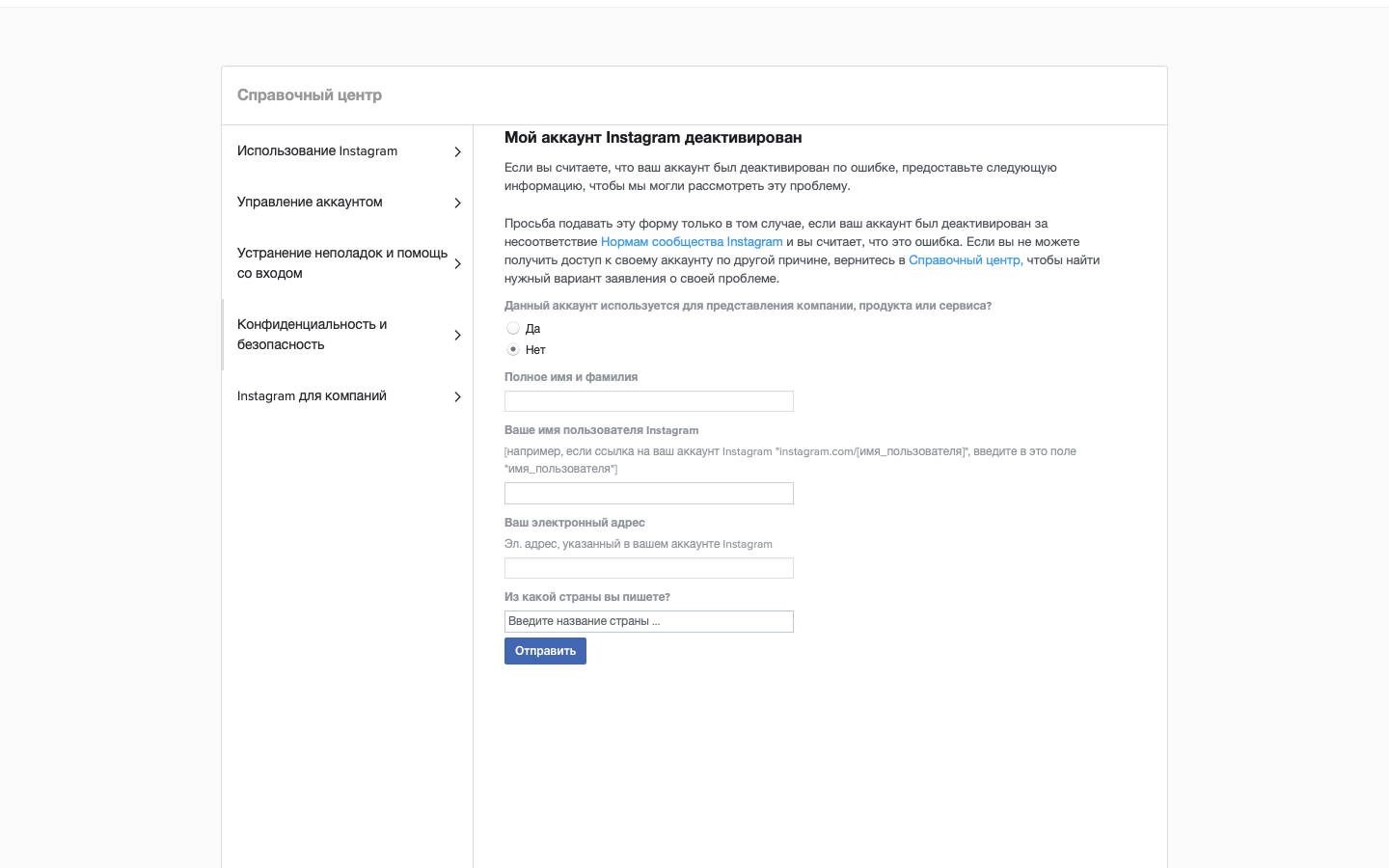
Да, страница может быть на самом деле представлять ваш бизнес, но тем не менее лучше об этом не говорить. Так как в таком случае у вас потребуют кучу бумаг, которых у вас может не быть.
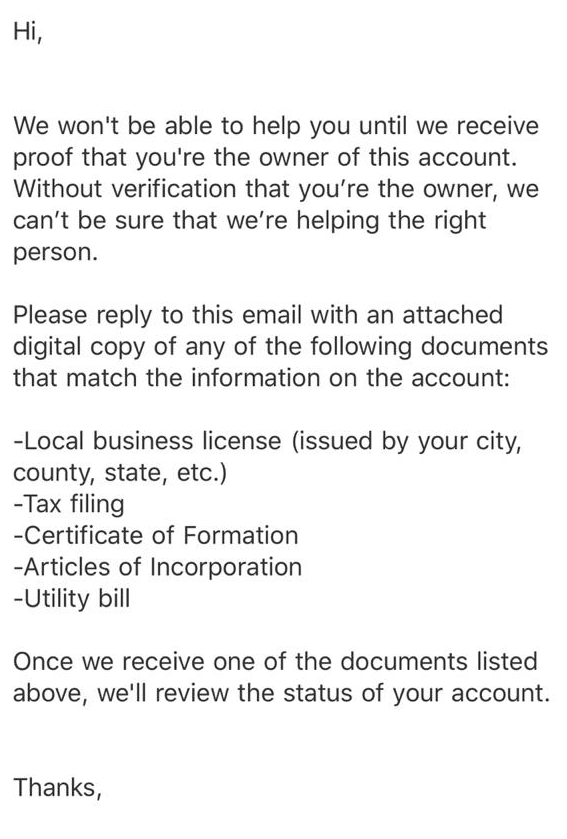
Дальше у вас появится форма для заполнения.
- Тут необходимо полностью указать ваше ФИО
- Далее имя пользователя иначе говоря никнейм instagram.com/[имя_пользователя]
- Ваш электронный адрес, желательно указать тот, на который был зарегистрирован ваш инстаграм* аккаунт
- Нужно выбрать из списка вашу страну проживания
Что произойдет дальше?
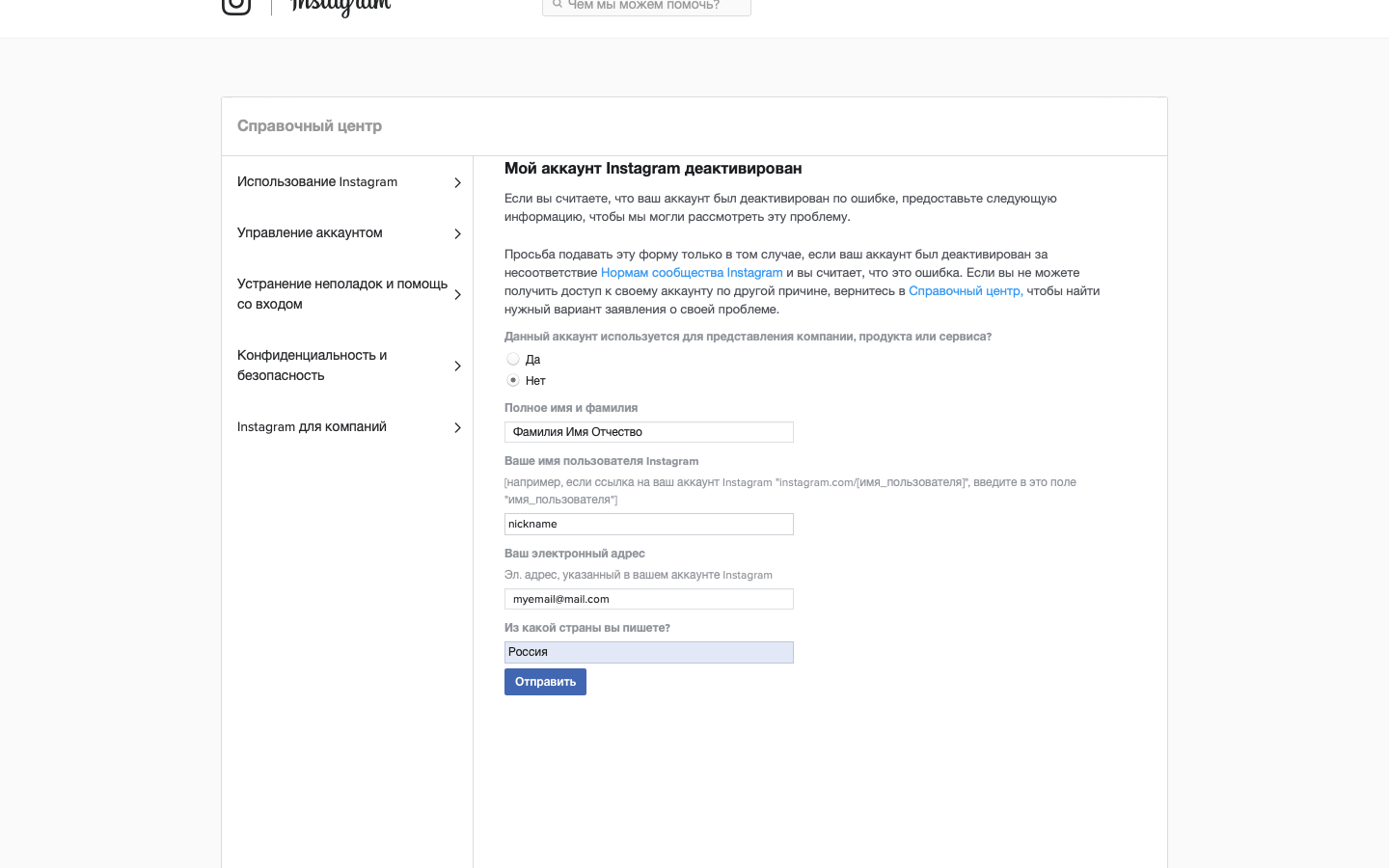
Следующий шаг, если все пройдет хорошо – вам придет письмо на email, который вы указали при заполнении формы. В письме будет написано, что нужно отправить ответное письмо с фотографией вас и лист бумаги на котором будут написаны цифры (они также будут в письме). Иначе говоря, вас попросят сделать селфи с кодом.
Далее если вам повезет, то инстаграм* разблокирует ваш аккаунт и все будет хорошо. После разблокировки аккаунта мы рекомендуем сменить пароль и сразу добавить аккаунт в наш сервис (или обновить пароль). Это будет хорошим сигналом для инстаграм, о том, что вы заботитесь о безопасности и что наш сервис не вредит вашему аккаунту.
Что может пойти не так?
Бывает такое, что инстаграм* все равно пришлет письмо, где будет у вас требовать список документов так как будет считать, что у вас бизнес аккаунт. Или бывает такое, что письмо так и не приходит.
В таких случая помогает повторное заполнение предыдущей формы или отправка запроса с комментарием уже через другую форму. Вот она - https://help.instagram.com/contact/606967319425038 https://help.instagram.com/contact/606967319425038
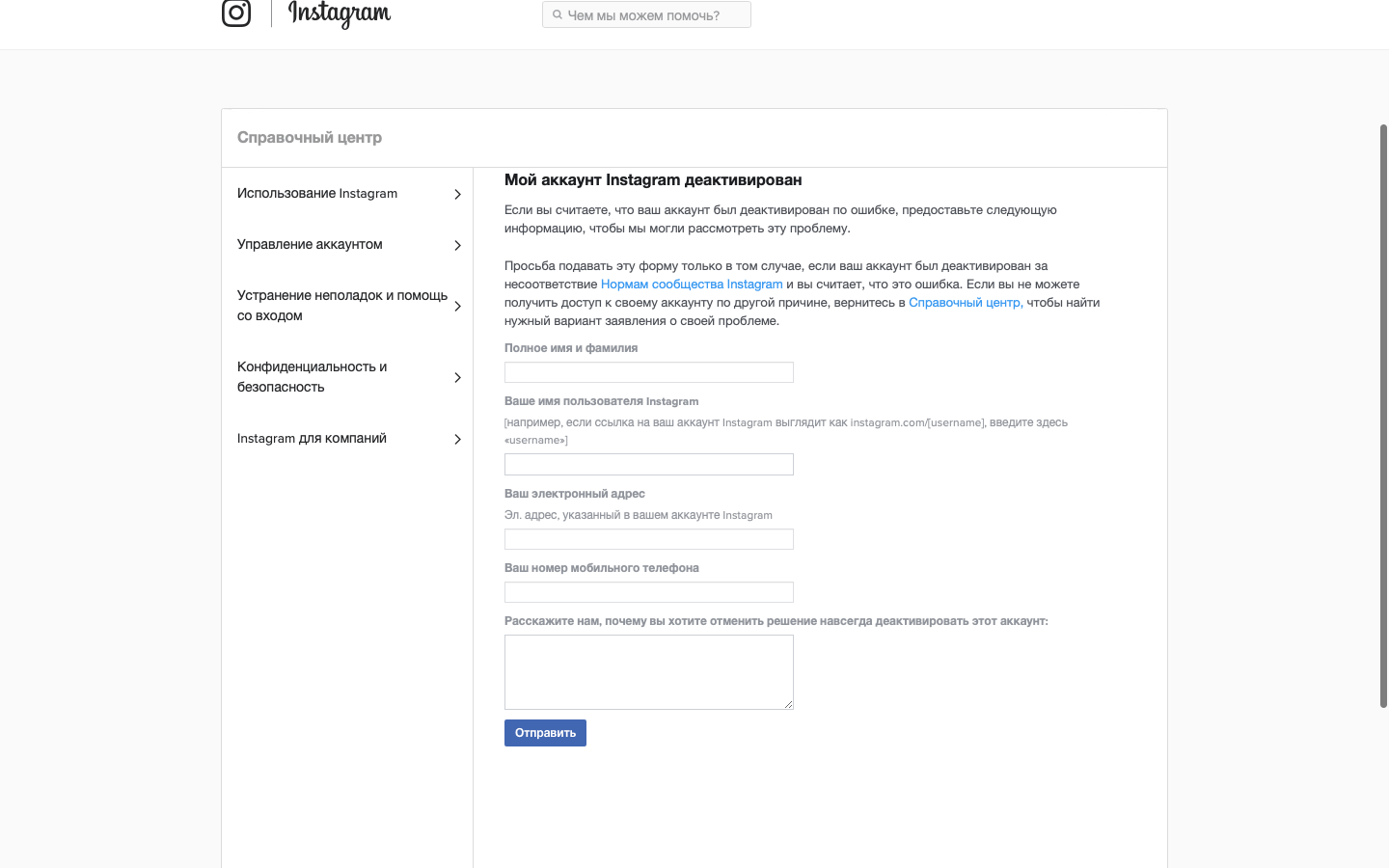
Тут вам предстоит заполнить следующие поля:
- Ваше ФИО
- Далее имя пользователя иначе говоря никнейм instagram.com/[имя_пользователя]
- Ваш электронный адрес, желательно указать тот, на который был зарегистрирован ваш инстаграм* аккаунт
- Ваш номер телефона, также желательно указать тот, на который был зарегистрирован аккаунт или указан в контактах
- Ваш комментарий. Тут желательно описать вашу проблему, что вы не понимаете за что заблокирован ваш аккаунт, ну и упомянуть, что аккаунт не является бизнес-аккаунтом и не представляют какую-либо компанию
После этой формы, как правило, инстаграм* присылает уточняющее письмо, на которое нужно ответить в свободной форме, на заданные вопросы в письме. Либо аккаунт просто разблокируют, такое тоже бывает.
За что чаще всего блокируют инстаграм?
Чаще всего блокировка происходит из-за нарушений правил, а именно:
- Накрутка (именно покупка ботов) подписчиков или лайков
- Публикация контента который нарушает чье-то авторское право
- Публикация adult контента, обнаженные и не прикрытые женское или мужское тело и т.д.
- Спам в комментариях или директ сообщениях
Итог
Если ваш аккаунт заблокировали и вы продвигаете его в нашем сервисе, наша служба поддержки окажет вам всестороннюю помощь в том, чтобы добиться разблокировки аккаунта.
Данная инструкция не является 100% гарантией, что ваш аккаунт разблокируют. Но 99% на успех всегда есть. Помните, что наши методы продвижения безопасны и не приводят к блокировке аккаунта.
UPD от 31.10.2022
В инстаграм* произошел большой сбой, многие аккаунты по всему миру были заблокированы. Сам инстаграм* это признал:
We're aware that some of you are having issues accessing your Instagram* account. We're looking into it and apologize for the inconvenience. #instagramdown
— Instagram* Comms (@InstagramComms) October 31, 2022
Также они сообщили, что уже исправили эту проблему. Если у ваш аккаунт до сих пор находится в блокировке, вам стоит обратиться в поддержку Instagram.
Для начала вам нужно зайти в инстаграм* через аккаунт, который не заблокирован. После чего потрести телефон, у вас появится форма для жалобы в поддержку инстаграм, где вы сможете описать проблему о том, что аккаунт был заблокирован по ошибке.
Мы не гарантируем, что ваш аккаунт будет восстановлен. Это всего лишь рекомендации исходя из нашего опыта.
Попробуем? Первые 24 часа бесплатно!
Получите первых подписчиков уже через несколько минут
* деятельность компании Meta Platforms Inc., которой принадлежит Инстаграм, запрещена на территории РФ.
Соцсеть признана экстремистской и запрещена в России.