
Содержание
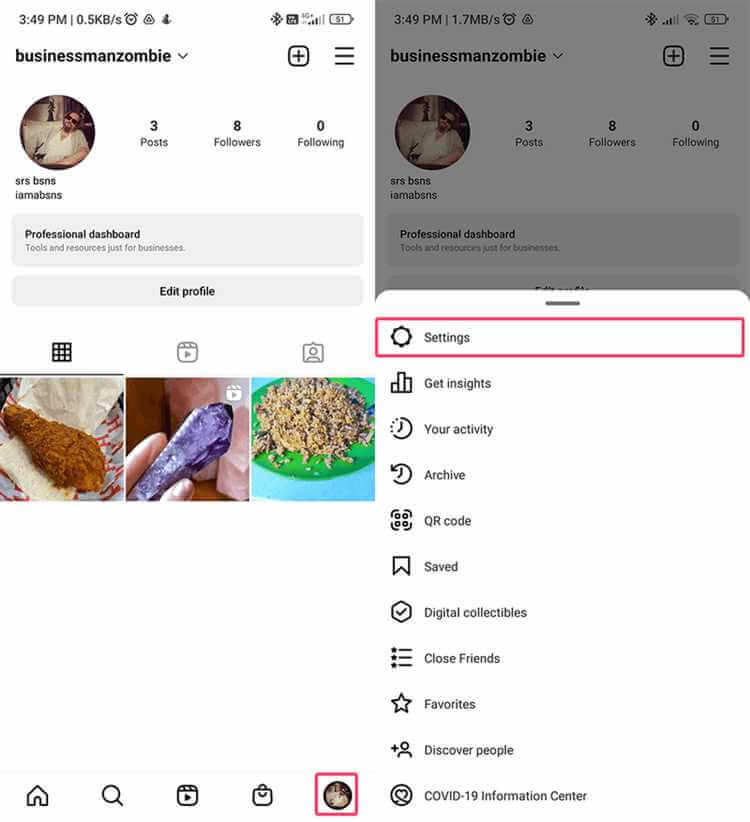
Верификация подтверждает подлинность аккаунта. Требования: аутентичность, уникальность, публичная личность или бренд. Настройки → Учётная запись → Заявка на верификацию, документы, ожидание ответа.
Как пройти верификацию
Проверьте соответствие требованиям Instagram. Заполните форму: имя, документ, ссылки на публикации. Отправка заявки, рассмотрение несколько дней. Галочка выдаётся не гарантированно.
Подготовка и заявка
Публичный профиль, заполненная био, качественное фото. Документ: паспорт или права. Дополнительно: статьи о вас, ссылки на соцсети. Терпение; при отказе — развивайте профиль и можно подать снова.
Видео:
Вопрос-ответ:
Сколько ждать верификацию?
От нескольких дней до недель; сроки не фиксированы.
Как подать заявку на верификацию?
Настройки → Учётная запись → Запросить верификацию, заполнить форму и документы.
Какие документы нужны?
Удостоверение личности (паспорт, права); для брендов — подтверждение прав на имя.
Можно ли пройти верификацию повторно после отказа?
Да, после развития профиля и усиления присутствия можно подать заявку снова.
