
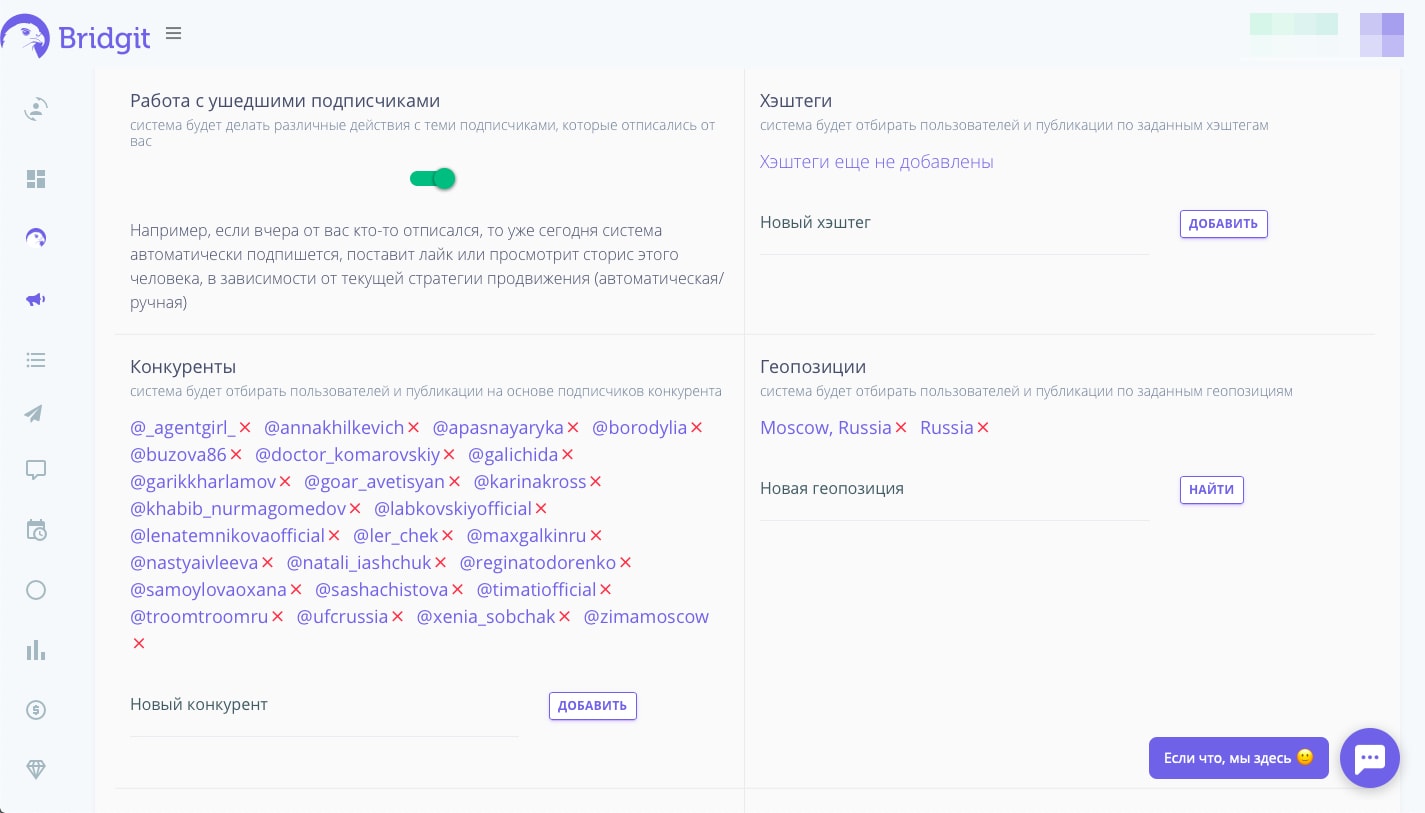
Расскажем немного, как это работает. Начнём с самого примитивного — это когда вы добавляете ваших конкурентов, после этого сервис начинает делать действия с его подписчиками (ставит лайки к постам, пишет комментарии к постам и делает подписку). Тем самым привлекая внимание данного подписчика и если является действительно целевым, то он как минимум подпишется на вас в ответ, как максимум станет вашим любимым клиентом.
Помимо того, что вы можете просто добавить конкурента, ещё можете настроить некоторые фильтры, чтобы сервис брал не всех подписчиков конкурента, а только тех, кто проходит заданные вами фильтры, тем самым вы увеличиваете шанс того, что попадёте в точку. Кстати наш сервис также дополнительно проводит анализ каждого вашего потенциального клиента по общим параметрам бот или не бот. Это очень актуально, особенно сейчас, когда инстаграм* существенно снизил лимиты на количество подписок.
И так, приступим к поиску конкурентов для продвижения вашего инстаграм* профиля. Сегодняшним источником ваших конкурентов будет 2ГИС
Для начала надо знать несколько простых критериев:
- Профиль конкурента должен быть максимально близким к тематике вашего профиля (не нужно добавлять профиль Ольги Бузовой, если у вас бьюти тематика, найти там целевую аудиторию сложнее)
- Количество подписчиков вашего конкурента играет роль, чем он "жирнее" тем лучше, но не забудьте посмотреть активность этих подписчиков, есть ли лайки, комментарии. Это не 100% показатель живости подписчиков ведь лайки и комментарии можно тоже накрутить, но уже что-то
- Если ваш бизнес геозависим, то в первую очередь добавляйте конкурентов рядом с вашим офисом, а потом с вашего города.
Где искать конкурентов для продвижения?
В 2ГИС вам достаточно выбрать ваш город, после в строке поиска указать вашу нишу. После того как вы сделаете поиск, рекомендуем отсортировать список по рейтингу.
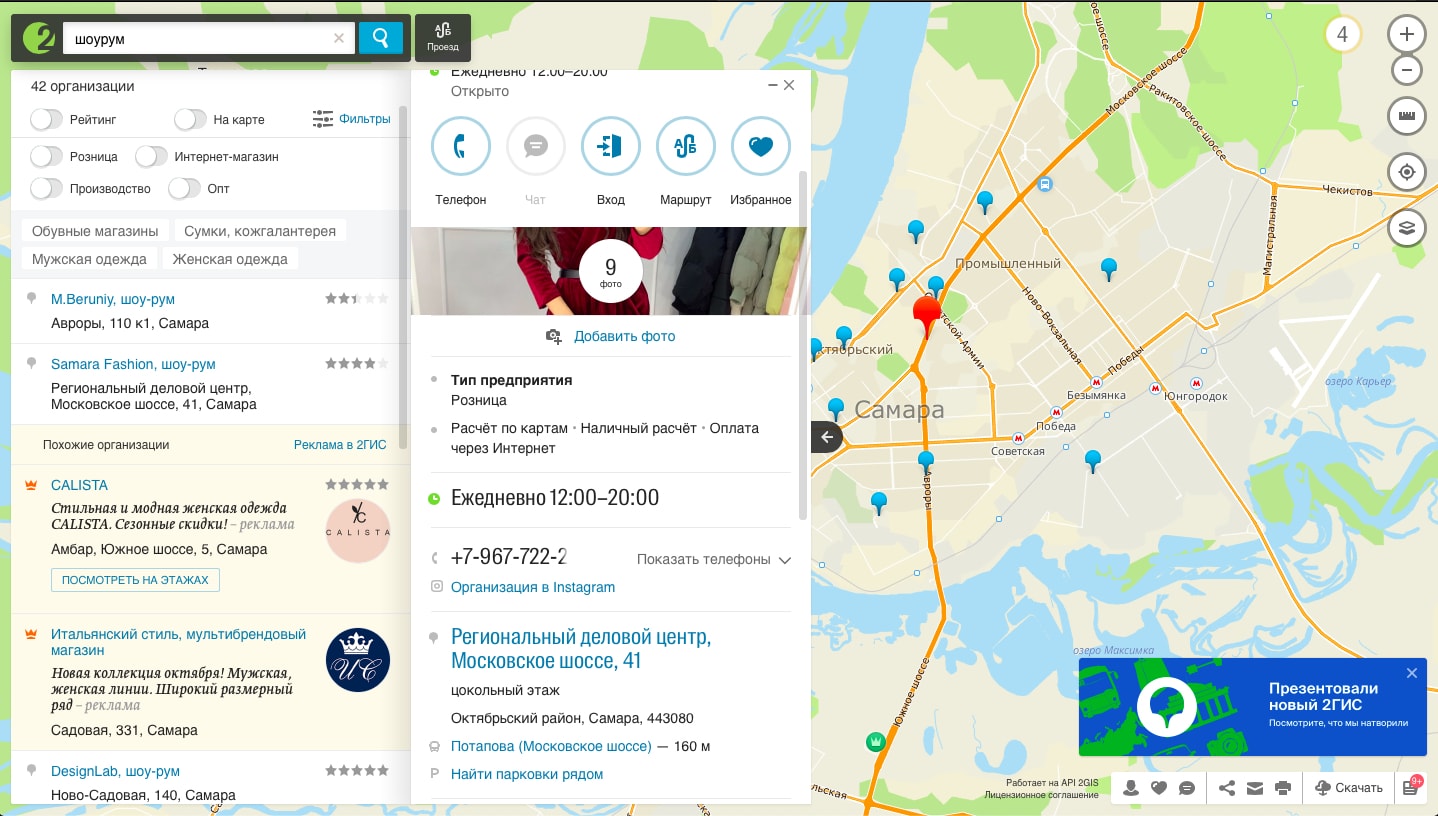
Когда проходите по списку конкурентов имейте в виду, что не у всех указан инстаграм, но вы точно знаете, что это ваш конкурент и он важен, то можно поискать ссылку на инстаграм* на сайте конкурента, в других социальных сетях (как правило есть блок со ссылками на другие социальные сети) ну и просто воспользоваться поиском в инстаграм.
Имейте в виду, что если у вас бутик одежды, то как правило именитые бренды добавляют общие аккаунты в которых куча подписчиков, но это аккаунт на всю страну и найти вашу целевую аудиторию будет очень сложно.
При добавлении конкурента, не забывайте, что добавлять нужно именно логин, без ссылки. Не правильно - https://www.instagram.com/artem_dolor/, правильно artem_dolor.
Возможно в скором времени мы выпустим парсер по 2ГИС, но пока точных сроков сказать не можем, все зависит от наших программистов, а они у нас занятые люди