
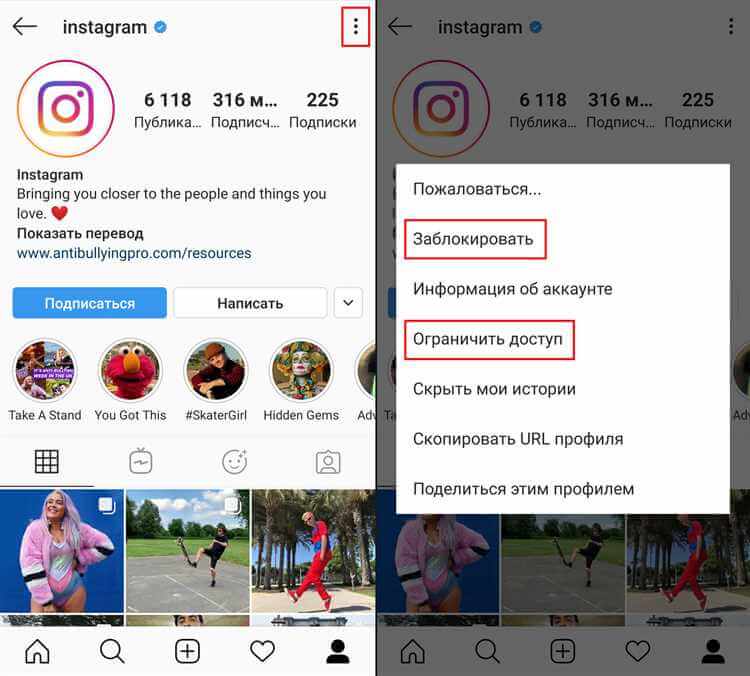
Instagram — одно из самых популярных приложений для обмена фото и видео. Простота и удобство привлекли миллионы пользователей.
Скачивание: App Store или Play Market → найти Instagram → «Установить». Регистрация: имя, email, пароль; добавьте фото профиля и информацию о себе — можно публиковать контент.
Возможности приложения Instagram
Создание и редактирование фото и видео; фильтры и эффекты; публикация в ленту; просмотр ленты и лайки; поиск и подписка; комментарии и лайки; личные сообщения; истории (24 ч); живые трансляции.
Фотофильтры и редактирование изображений
Широкий выбор фильтров (контраст, яркость, насыщенность). Палитра фильтров в реальном времени, ручная настройка. Редактор: обрезка, поворот, рисование, текст, эмодзи. Инструменты просты в использовании.
Простое и эффективное редактирование фотографий
Раздел «Редактировать» (значок карандаша). Фильтры меняют палитру и настроение. Регулировка: яркость, контраст, насыщенность, тени. Обрезка, поворот, рамка, превращение. Экспериментируйте с инструментами.
Публикация и общение
Редактирование перед публикацией → «Далее» → подпись, отметки людей, «Добавить в историю». После публикации — комментарии и лайки. Direct для личных сообщений. Настройки приватности аккаунта.
Возможность публиковать и делиться фотографиями и видео
Выбор из галереи или съёмка в приложении → фильтры и эффекты → описание, хэштеги, геолокация → публикация или «История». Direct — отправка контента отдельным пользователям или группам.
Возможность комментировать и лайкать контент
Комментарии — отзывы, вопросы, поддержка; ответы и диалоги. Лайки — выражение одобрения; лайкнутое отображается в разделе аккаунта. Создаёт активное сообщество.
Истории и прямые сообщения
Истории — временные посты (24 ч), фильтры, текст, стикеры, музыка; настройка аудитории. Прямые сообщения — личная переписка, фото, видео, аудио, видеочат. Ответы на истории через Direct.
Временные истории (24 часа)
Значок камеры → фото/видео из галереи или съёмка → эффекты, текст, стикеры. История в «Ваша история»; подписчики смотрят по клику. Через 24 ч исчезает; можно сохранить на устройство или в галерею.
Видео:
FAQ:
Какие возможности предоставляет приложение Instagram?
Публикация фото и видео, фильтры и эффекты, лента, комментарии и лайки, истории, редактирование контента и др.
Как скачать Instagram на смартфон?
App Store (iOS) или Google Play (Android) → поиск «Instagram» → «Установить» → следовать инструкциям.
Как настроить аккаунт в приложении Instagram?
«Зарегистрироваться» → email или телефон, пароль, имя пользователя → фото профиля и информация о себе.
Как изменить настройки приватности?
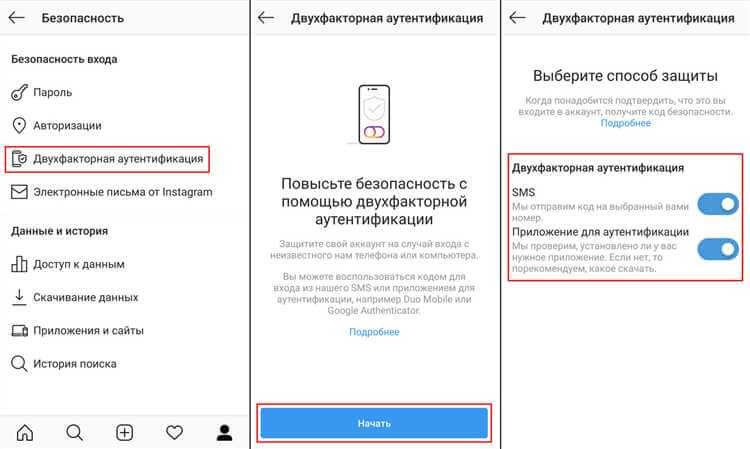
Настройки профиля (шестерёнка) → «Конфиденциальность» → «Аккаунт»: сообщения от незнакомцев, скрытие активности и др.
Какие настройки безопасности доступны?
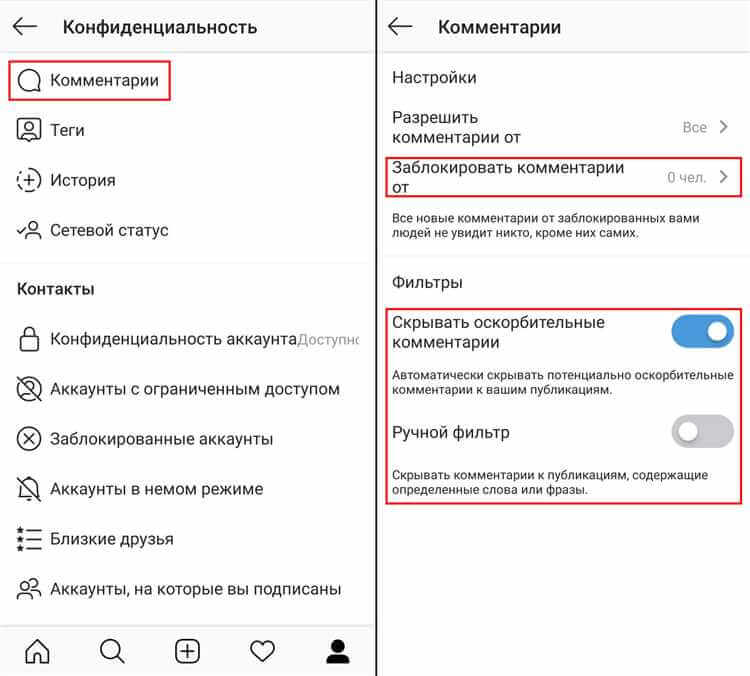
Двухфакторная аутентификация, блокировка по отпечатку или пароль, скрытие активности и историй, ограничение комментариев.
Как скачать Instagram на телефон?
Официальный магазин приложений (App Store или Google Play) → найти Instagram → «Установить».
