
Аватар — часть нашей интернет-личности, создаёт первое впечатление. В статье — советы по выбору и установке аватарки.
Определите цель: соцсети, форумы или профессиональные платформы. Выбирайте картинку по размеру платформы, пусть она отражает ваши характеристики и интересы.
Как правильно выбрать аватар?
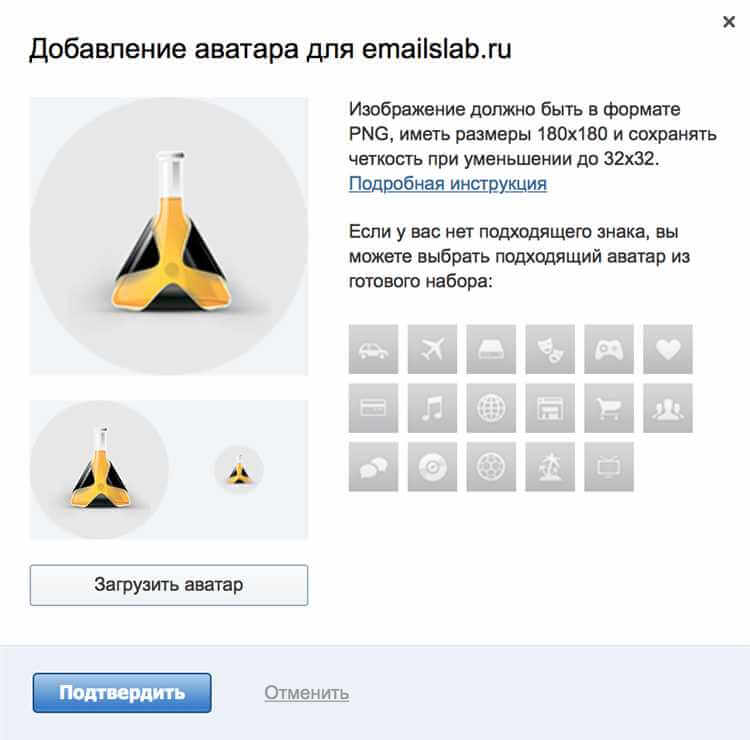
Учитывайте: 1) Стиль — фото для профессионализма или иллюстрация для креатива. 2) Идентификация — аватар должен отражать вас. 3) Качество — высокое разрешение. 4) Размер — обычно 200×200 px; проверьте требования платформы. Выбор аватара — индивидуальное решение.
Размер и пропорции
Идеальный размер зависит от платформы. Часто аватары квадратные. Рекомендуется не менее 400×400 px. Сохраняйте пропорции при изменении размера. Оптимальный размер файла — до 100 Кб. Учитывайте автоматическое обрезание на некоторых платформах.
Как определить нужный размер аватара?
Определите место использования (соцсети, блог, форум) — у каждой платформы свои рекомендации (часто 100×100 или 200×200). Учитывайте мобильные устройства. Векторные изображения масштабируются без потери качества.
Пропорции и кадрирование
Квадратные изображения подходят большинству сервисов. При кадрировании размещайте главный объект в центре, не обрезайте голову и важные части. Проверяйте требования платформы к размеру и разрешению.
Стиль и цветовая гамма
Стиль и цвета передают индивидуальность. Для бизнес-профиля — нейтральные цвета (синий, серый, чёрный). Для креатива — яркие (красный, оранжевый, фиолетовый). Выберите стиль по личности. Цвета должны быть гармоничны.
Выбор стиля и настроение аватара
Руководствуйтесь предпочтениями и характером: реальное фото, стилизованный рисунок или аватар по хобби. Передавайте настроение через цветовую гамму и выражение. Аватар — способ выразить себя.
Цветовая гамма и ее влияние
Яркие цвета (красный, оранжевый) — энергия и страсть. Пастельные (голубой, розовый) — спокойствие. Зелёный — природа и гармония. Синий — доверие. Гармоничная комбинация привлекает внимание.
Видео:
FAQ:
Какую картинку лучше выбрать в качестве аватара?
Изображение, отражающее личность или интересы: фото с улыбкой, по хобби или профессии.
Как изменить аватар в социальных сетях?
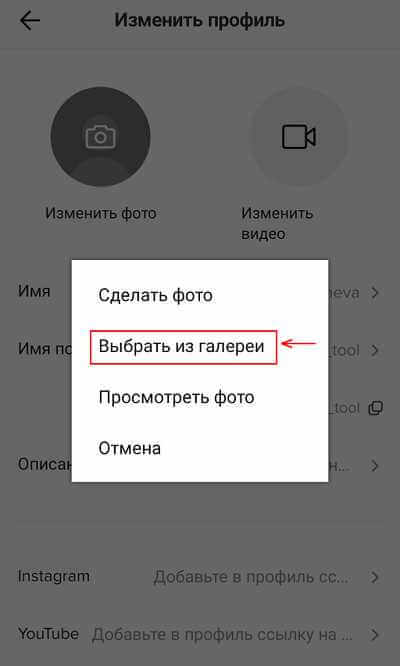
Настройки профиля → «Изменить профиль» или «Настройки профиля» → загрузить картинку или выбрать из альбома → сохранить.
Какой формат картинки нужен для аватара?
Зависит от платформы. Чаще всего JPEG, PNG или GIF.
Можно ли использовать изображение из интернета для аватара?
Да, если есть права или оно общедоступно. Лучше использовать собственные фото для уникальности.
Как выбрать подходящий фон для аватара?
Неяркие или однотонные цвета, сочетающиеся с аватаром или тематикой. Можно использовать мотивирующую цитату или символ.
Как выбрать подходящую картинку на аватар?
По вкусу и предпочтениям. Изображение должно отражать личность: своё фото, близкие, питомец или другая подходящая картинка.
