
Содержание
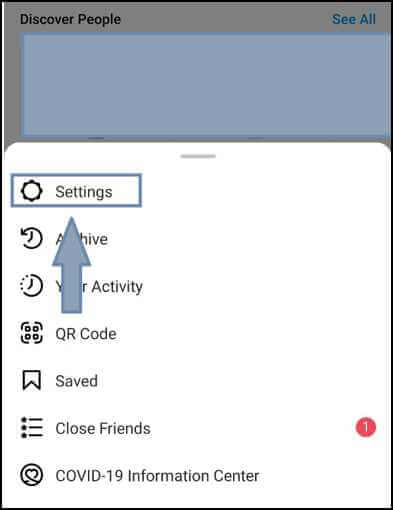
Откройте приложение, нажмите на иконку профиля, затем меню (три полоски) → «Настройки» → «Язык» → выберите «Русский». Интерфейс переключится на русский.
Как добавить русский язык
Войдите в аккаунт или зарегистрируйтесь. В правом нижнем углу — профиль, в правом верхнем — меню, пункт «Настройки».
Настройки и раздел «Язык»
В настройках прокрутите до раздела «Язык», нажмите и выберите «Русский» из списка. На компьютере язык меняется в веб-версии в настройках аккаунта.
Видео:
Вопрос-ответ:
Как добавить русский язык в Инстаграм?
Профиль → меню → Настройки → Язык → Русский.
Можно ли добавить русский на компьютере?
Да, в веб-версии Instagram в настройках аккаунта можно выбрать язык интерфейса.
Какие преимущества русского языка?
Удобная навигация, понятные надписи и комфортное использование приложения на родном языке.
Можно ли добавить несколько языков?
В интерфейсе выбирается один язык; контент от других пользователей отображается на языке публикации.
