
Содержание
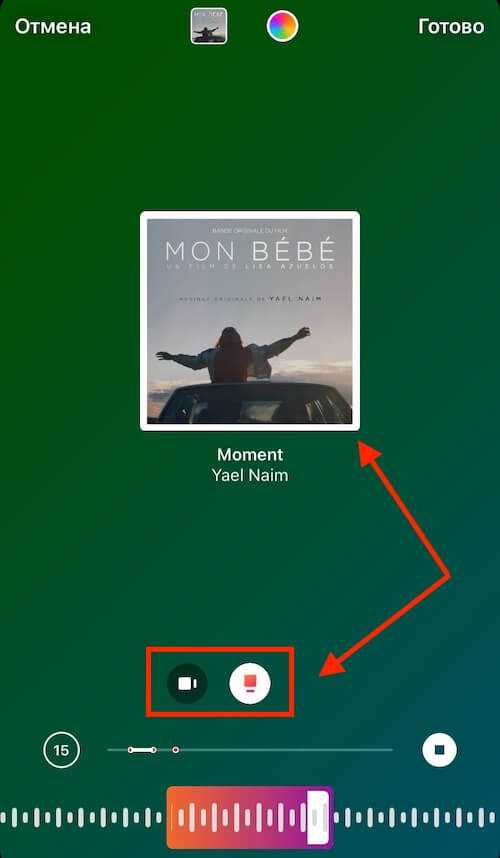
В сторис откройте раздел «Музыка» или стикер с музыкой. Выберите трек из коллекции Instagram по жанру или настроению. Можно использовать сторонние приложения для своей музыки.
Обновление приложения
Обновите Instagram в App Store или Google Play. Актуальная версия нужна для доступа к музыкальной библиотеке и стикерам с музыкой.
Подготовка истории и добавление музыки
Создайте фото или видео для истории, откройте стикеры → «Музыка», выберите трек и отрезок. Настройте время воспроизведения и положение на экране.
Видео:
Вопрос-ответ:
Как добавить музыку в сторис Инстаграма?
При создании истории: стикеры → «Музыка» → выбор трека из библиотеки Instagram.
Какие форматы музыки поддерживает Instagram?
Используется встроенная библиотека; свою музыку можно добавить через сторонние приложения с экспортом в видео.
Можно ли редактировать музыку перед добавлением?
Да, можно выбрать отрезок трека и длительность воспроизведения в сторис.
Можно ли добавить свою музыку?
Через сторонние приложения: записать видео с нужным треком и загрузить в сторис.
