
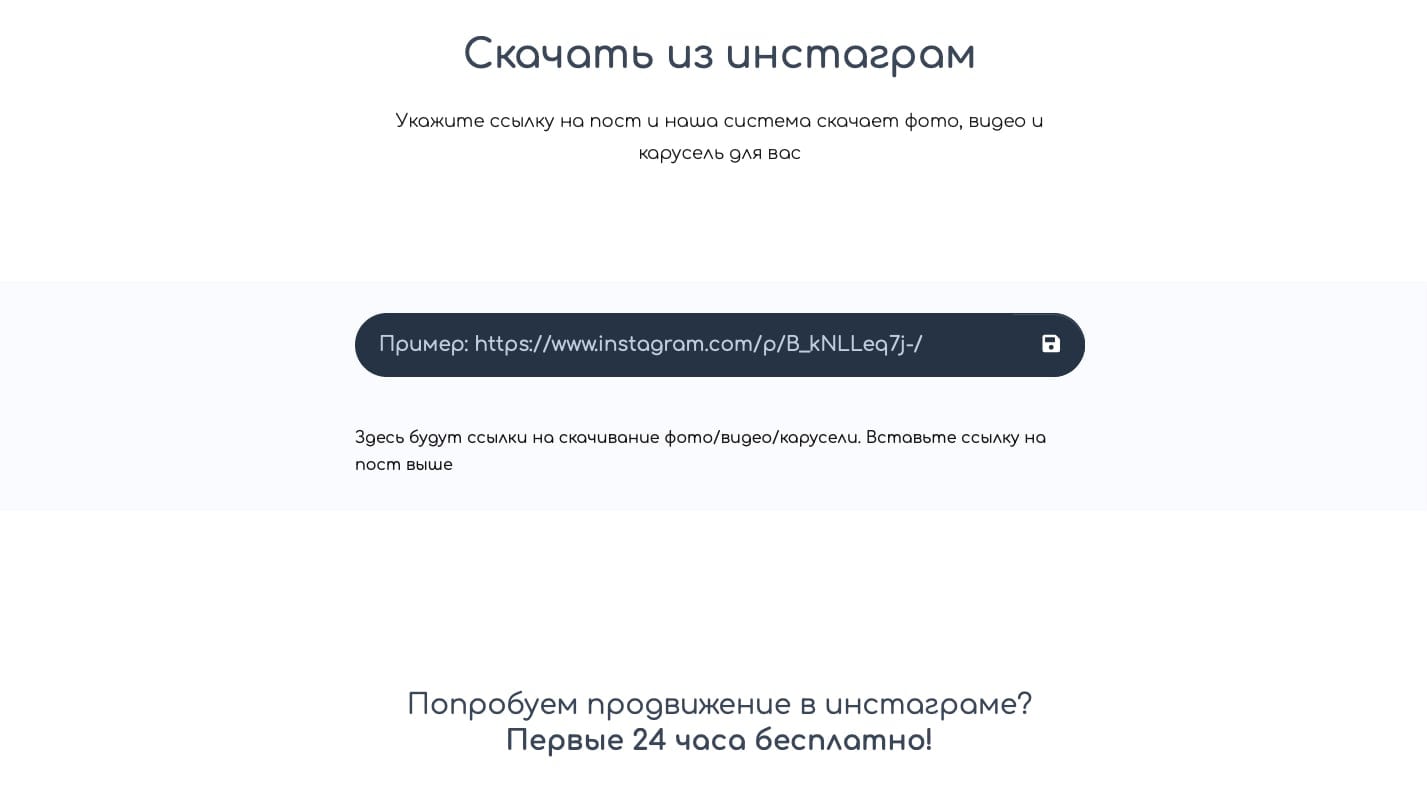
Что может наш сервис?
Он может бесплатно скачать фото, видео, карусель или IGTV видео с Инстаграм*.
Как можно скачать из инстаграм?
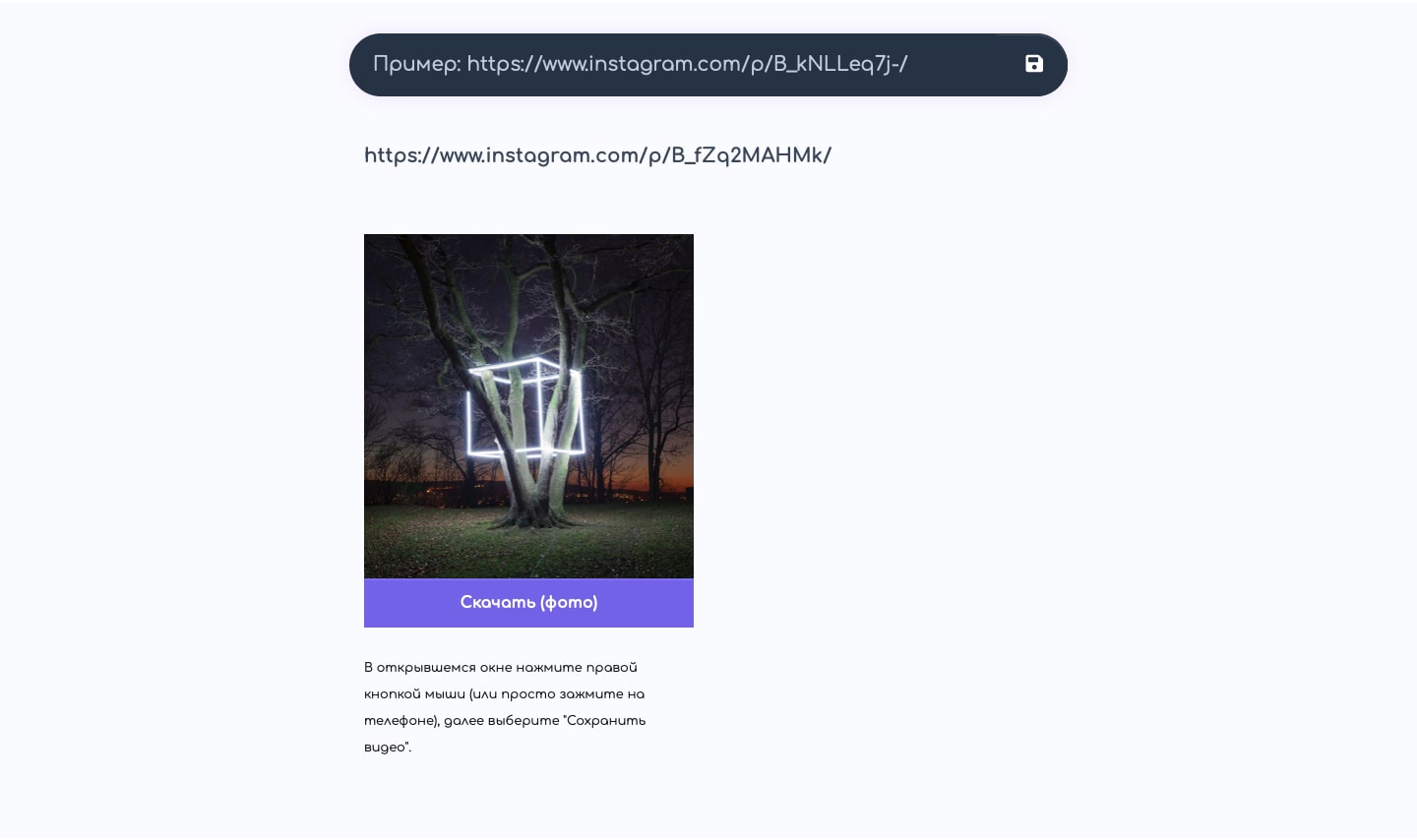
Достаточно скопировать ссылку вида - https://www.instagram.com/p/B_kfsOlltRM/, вставить и нажать на иконку "Дискета", то есть сохранить.
После у вас появится превью c кнопкой скачать, нажав на нее откроется новое окно, в котором можно нажать правую кнопку и сохранить (на компьютере). На телефоне зажать пальцем тачскрин (имитация клика по правой кнопке мыши) и появится модальное окно, где будет возможность сохранить фото на телефон.
Как скопировать ссылку?
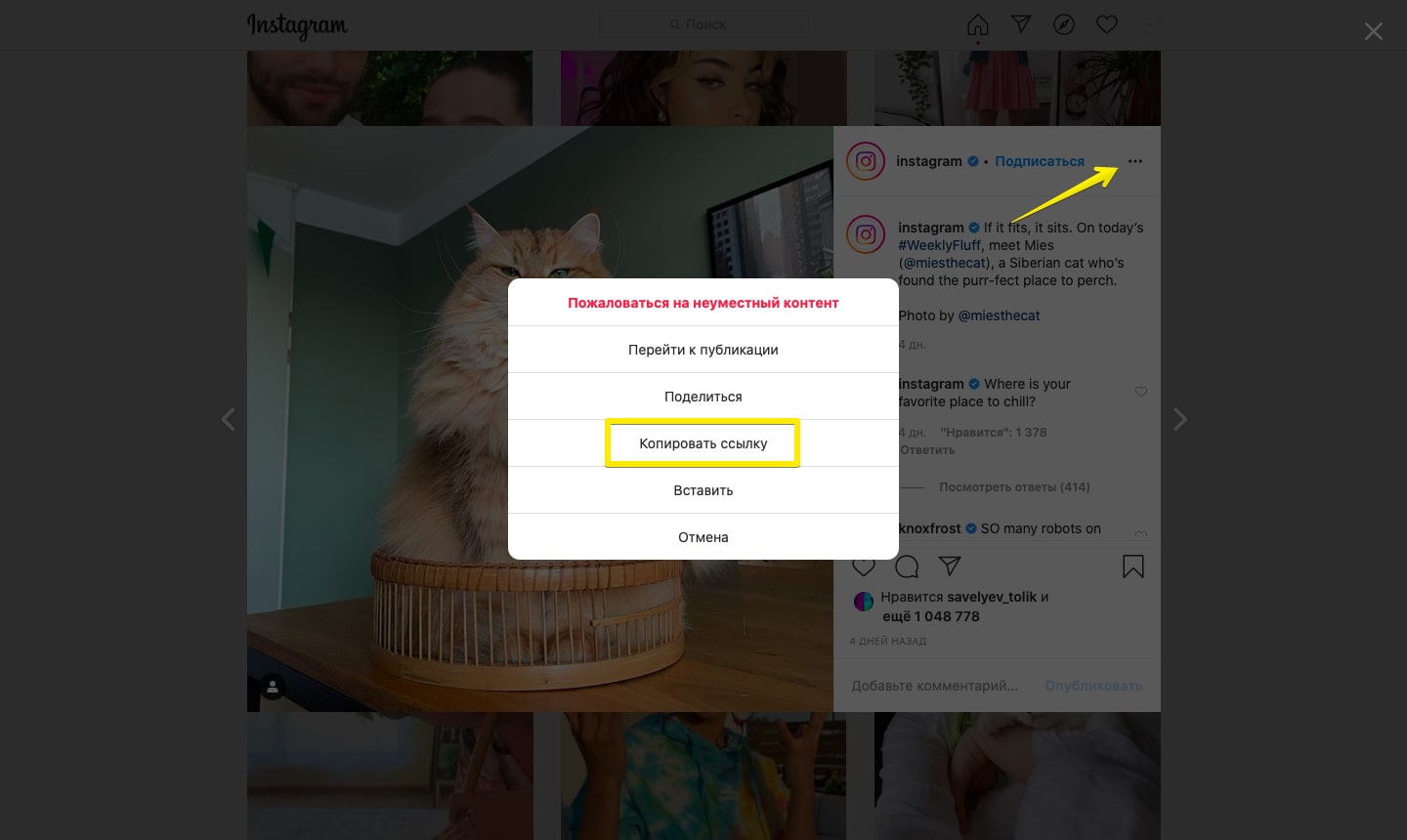
На компьютере достаточно открыть нужное фото и скопировать ссылку с адресной строки или нажать на три точки рядом с фото и выбрать пункт "Скопировать ссылку". Внимание нужно быть авторизованным в инстаграм.
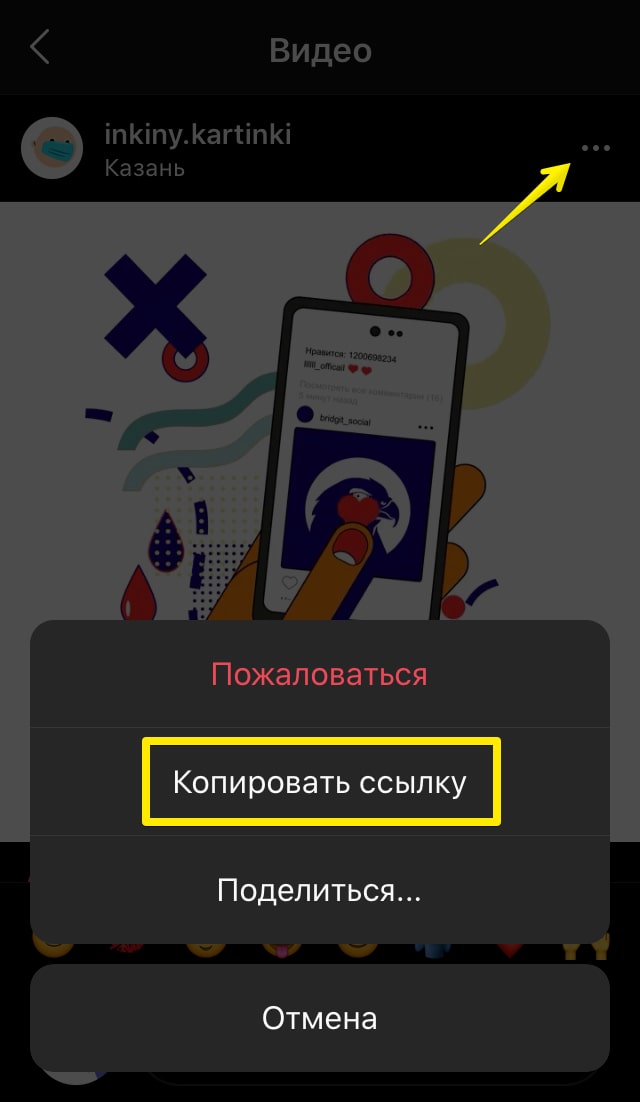
На телефоне, в приложении откройте нужную публикацию, рядом с которой есть также три точки, при нажатии на них откроется окно где и будет возможность скопировать ссылку.
Сколько стоит?
Бесплатно. Нам самим часто приходится скачивать фото для тех или иных задач, а как обычно это бывает нормальных сервисов нет. Поэтому решили сделать свой и сделать его бесплатным.
Попробуйте и вы — скачать из Инстаграм*